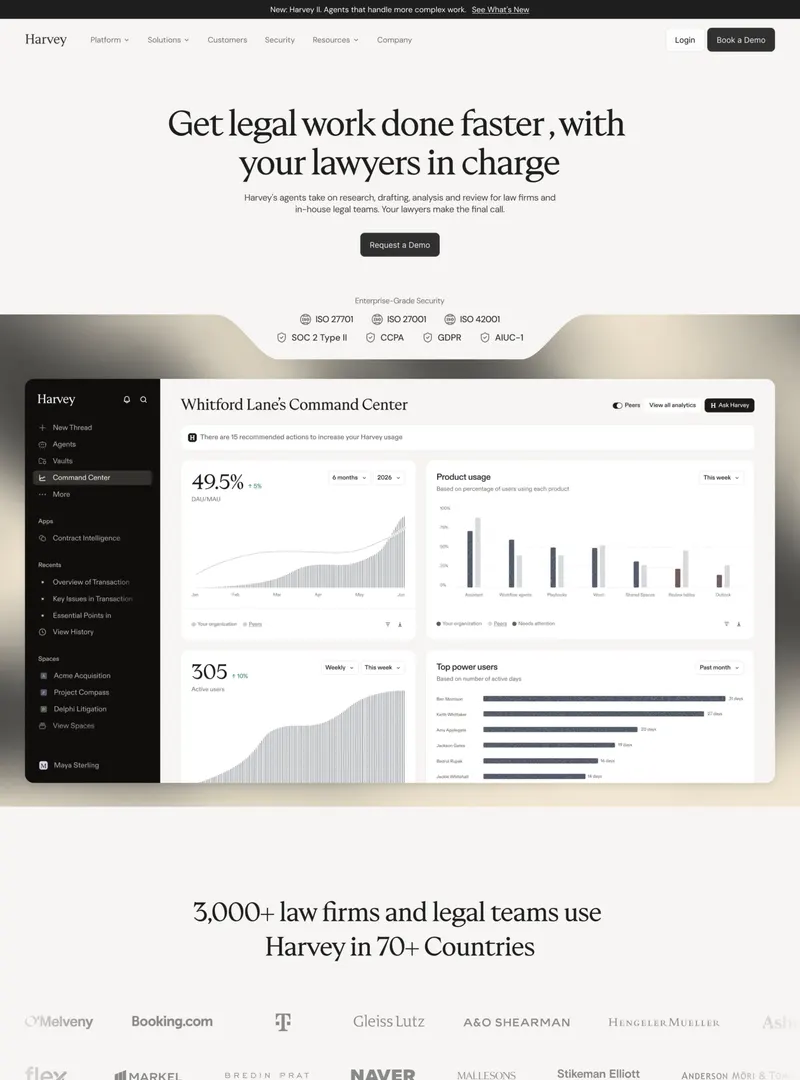
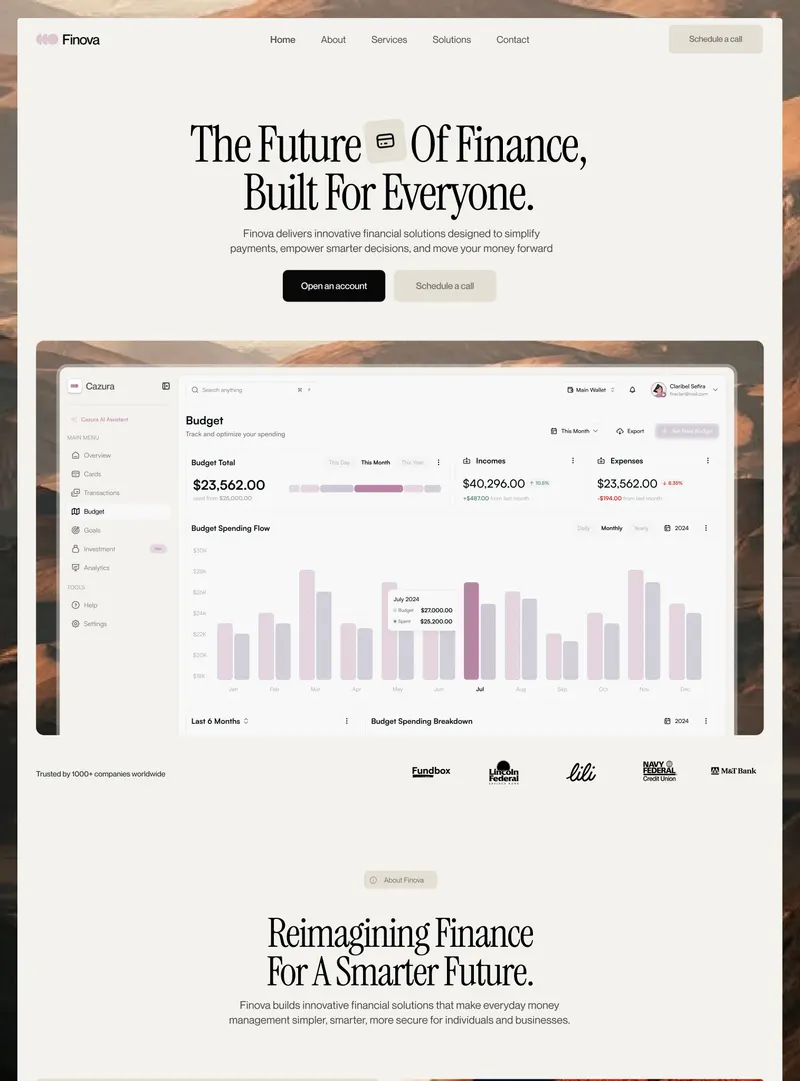
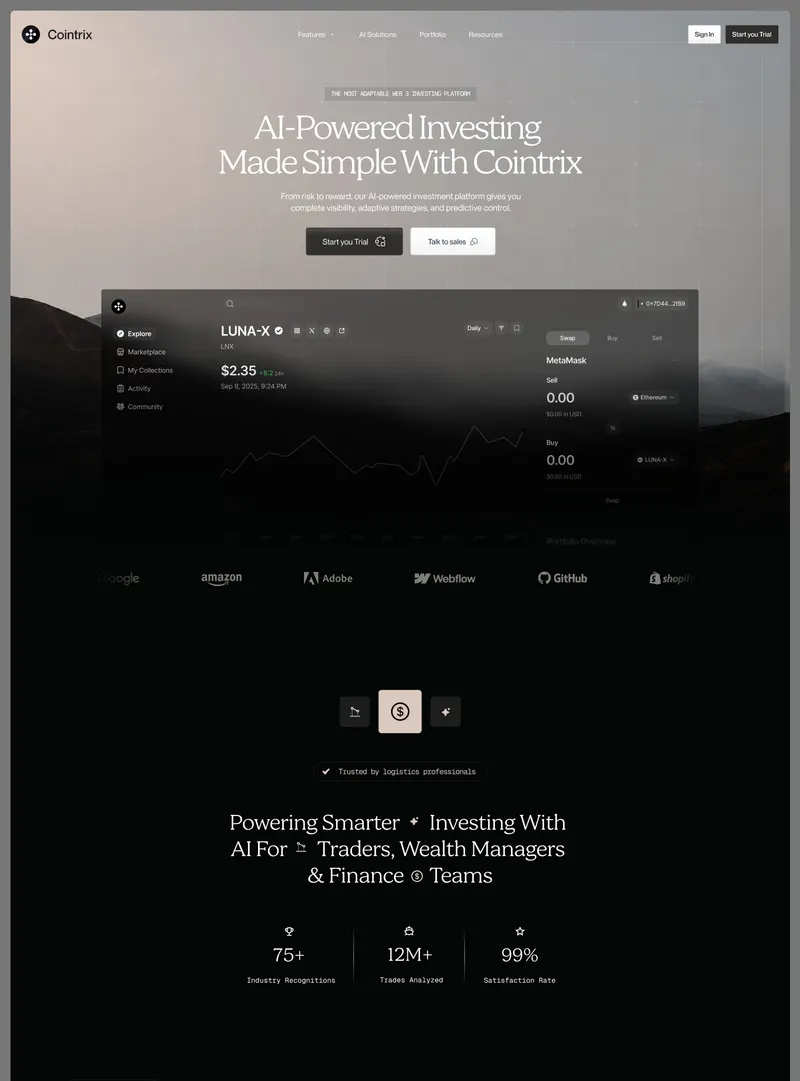
01Colors
- Bone#F0ECE4Background · 65.8% · WhitePage background for everything below the hero; about 65% of the recording by area.
- Warm ink#191711Text · 4.5% · BlackHeadings, card titles and labels; about 15:1 on Bone.
- Taupe gray#6E6A62Muted text · 3.5% · BrownBody paragraphs and subheads (≈4.6:1). Sublabels such as “Calendar”, “CRM” or “forever” drop to #88847D.
- Hairline#D9D5CDBorder · 6.8% · Gray1px borders of every grid, card, accordion row and toggle; pricing and footer dividers are #E2DFD7.
- Carbon#0A0A07CTA · BlackBlack buttons on Bone (Browse all integrations, Start free, Start 14-day trial, Talk to sales, Subscribe), active toggle and tab segments, the “Most popular” tag and the square corner markers.
- Chalk#F6F5ECCTA · WhiteOff-white buttons on the photo (Get started, Approve & send, Review draft) and the toggle background. “Get a demo” in the nav and the hub tile are pure white.
- Smoked glass#7D705BSurface · 3.1% · Beige & creamTranslucent blurred fill of “Watch the tour”, “Get a demo” and the tool chips over the photo; it takes on whatever is behind it (the nav bar reads ≈#46597A over the sky, chips ≈#42361D over the grass).
- Dusk blue#5A78A0Image · 5.8% · BlueTop of the sky in the landscape photo, behind the navbar, headline and the top of every glass panel.
- Apricot horizon#DB9969Image · 6.9% · OrangeSunset band just above the ridgeline, behind the hero CTAs and the hub diagram.
- Mauve ridge#534E6BImage · 3.7% · PurpleLayered mountain silhouettes, from #534E6B to #745E6D.
- Burnt amber#C66928Image · OrangeBacklit grass highlights; shadowed grass falls to #54331C and near black.
- Ghost taupe#E3E0D8Muted text · GrayGiant decorative “Altura” wordmark at the bottom of the footer, about 1.1:1 on Bone.
Contrast
- AaWarm ink on Bone15.2:1AAA
- AaTaupe gray on Bone4.6:1AA
- AaGhost taupe on Bone1.1:1Fails
Warm and almost monochrome in the UI: Bone, warm ink, taupe gray, hairline and carbon do all the interface work, and there is no brand accent color at all. Every bit of saturation comes from one golden-hour landscape (dusk blue to apricot, mauve mountains, amber grass) that is reused behind the hero, all three step vignettes, the dashboard, the deal brief, the FAQ help panel and the final CTA. Buttons switch by context: carbon on Bone, chalk or smoked glass on the photo. Headings are high contrast (≈15:1) and body is moderate (≈4.6:1). In effect a mono UI paired with a cool-sky / warm-grass duotone photo.
02Typography
Display
Inter (display optical size) Close match
- Class
- Sans-serif
- Tracking
- tight
- Case
- sentence
- Free alternatives
- Inter, Inter Tight, Geist
Hero and final CTA only, white on the photo, about 72px at a 1600px viewport, two centered lines, slight negative tracking. Medium weight keeps it solid over the busy sky. Nothing thin.
Headings
Inter Exact
- Class
- Sans-serif
- Tracking
- tight
- Case
- sentence
- Free alternatives
- Inter, Inter Tight, Geist
All section H2s in Regular 400 at about 48–56px with slightly tight tracking, each ending in a period. Card titles (Smart Priorities, Connect your stack, Sales teams) drop to about 22px, still regular. Large type in a regular weight is the signature: calm rather than loud. Inter’s angled t, straight-tailed y and single-story g are clear.
Body
Inter Exact
- Class
- Sans-serif
- Tracking
- normal
- Case
- sentence
- Free alternatives
- Inter, Geist, IBM Plex Sans
About 16px in taupe gray, line height about 1.7, 60–75 character lines. The copy leans on em dashes. Regular weight, not light.
Labels
Inter Exact
- Class
- Sans-serif
- Tracking
- normal
- Case
- sentence
- Free alternatives
- Inter, Geist
Every eyebrow is sentence case with a small solid black square bullet: ■ Introducing Altura, ■ How it works, ■ Inside Altura, ■ Integrations, ■ Use cases, ■ Pricing, ■ FAQ, ■ Get started. There is no uppercase or letterspaced text anywhere on the page.
Numbers
Inter Exact
- Class
- Sans-serif
- Tracking
- tight
- Case
- mixed
- Free alternatives
- Inter, Geist
Prices at about 56px regular with the unit in small gray; indices (01, 02, 03) small and gray in steps, use cases and FAQ; times (11:00, 13:00, 16:00) and “78%” set plainly in the UI. Inter’s flagged 1 and full-height $ are visible.
UI
Inter Exact
- Class
- Sans-serif
- Tracking
- normal
- Case
- sentence
- Free alternatives
- Inter, Geist
Buttons, nav, tabs, chips and dashboard text at 12–16px. On glass it is white; completed dashboard tasks are gray with a strike-through.
Logo
Inter Close match
- Class
- Sans-serif
- Tracking
- tight
- Case
- title
- Free alternatives
- Inter, Geist
Wordmark beside a white square tile holding a six-dot ring mark. The footer repeats “Altura” at roughly 400px in a heavy weight, tinted Ghost taupe and clipped by the bottom edge.
Specimens use a stand-in face of the same class and weight.
- Pairing
- A single family. Inter carries every role, and the system separates levels only by size, weight (400 for headings and body, 500 for UI and eyebrows, 600 for the logo) and color (ink, taupe, white on the photo). Next to the photo, the neutral grotesk keeps the page feeling like a precise work tool rather than a lifestyle brand.
- Hierarchy
- Hero about 72px medium, section H2 about 52px regular, card titles about 22px, body 16px, labels 14px, dashboard UI 12–13px. Roughly 3:1 from H2 to body with almost no weight contrast, so size and whitespace do the work. Split headers keep H2s to two lines of about 22 characters on the left, with the paragraph pushed to the right column.
Are the fonts good? 4/5. Good and safe. Inter is set with care: large headings in a regular weight, tight tracking at size, a readable 16px body and consistent sentence case, so everything is legible and calm. It is also anonymous: no second face, no italics, no numeral styling, and the same look appears on many AI-generated pages. Nothing is thin; the weakest text is the small taupe sublabels.
03Layout
Full-bleed hero photo with the navbar laid over it, then a Bone page in a container of about 1240px. Sections alternate between centered headers (Features, Inside Altura, Pricing) and split headers with the H2 on the left and a short paragraph on the right (How it works, Integrations, Use cases, FAQ). The same landscape returns inside contained panels as the backdrop for product UI, and closes the page as a contained CTA card above the footer.
- Alignment
- mixed
- Density
- airy
- Width
- contained
- Corners
- sharp
- Depth
- hairline
- Grid
- Hairline-ruled grids with small black squares at every outer corner and intersection: 4-up feature cards, 3-up step cards with photo tops, a full-width dashboard panel, a 6 × 2 integrations grid, a 50/50 accordion plus photo panel for use cases, 3-up pricing, a roughly 62/38 FAQ plus help panel, and a footer with a brand block left and four link columns right.
- Spacing
- About 180–200px between sections at a 1600px viewport, 32px card padding, and generous empty space inside cards (feature cards put the icon at the top and the text at the bottom with about 150px of nothing between). The rhythm is even and slow.
04Sections 11
- 01Navbar
Overlaid on the hero photo. White square logo tile and “Altura” left; a centered segmented bar with a dark translucent fill (Overview active as a white block, then Product, Integrations, Customers, Pricing); “Sign in” text and a white sharp “Get a demo” button right. It scrolls away with the page.
- 02Hero
Full-bleed golden-hour photo of a grassy ridge and layered mountains. Centered ■ Introducing Altura, two-line white headline, subhead, chalk “Get started” and smoked-glass “Watch the tour”. Below, set in the grass: a hub diagram where six dark glass chips (Outlook, Slack, Zoom, Figma, Linear, Gmail) connect through hairline elbow lines to a white logo tile wrapped in a selection frame with square handles.
- 03Features
■ Built for momentum, centered H2 “Everything that drives growth, in one place.” and subhead, then a 4-column hairline grid: Smart Priorities, Copilot Chat, Meeting Flow, Live Insights, each with a small outline icon top-left and the title plus two or three lines of text at the bottom.
- 04How it works
Split header “From scattered to sorted in three steps.” Three bordered cards, each topped by an animated vignette on the photo (connectors into the hub; a “Ranked by impact” list; a “Follow-up drafted” card with Approve & send and Edit), then 01 / 02 / 03, a title and text: Connect your stack, Let Altura prioritize, Act with your copilot.
- 05Product mockup
■ Inside Altura, centered H2 “Your whole pipeline, finally in focus.”, subhead, a segmented control (Priorities active, Copilot, Insights), then a wide photo panel holding a glass dashboard: sidebar (Today, Pipeline, Meetings, Copilot, Insights, a Focus today meter), the “Your copilot’s plan” list split into Suggested by Altura and Handled by Altura, and an “Up next · 14:00” brief for “Demo with Harbor & Co.” with an Open brief button.
- 06Integrations
Split header “Works with the tools you already use.” with a paragraph and a black “Browse all integrations →” button. A 6 × 2 grid of cells, each a small bordered icon tile, tool name and category: Outlook, Google Calendar, Gmail, Slack, Microsoft Teams, Zoom, HubSpot, Salesforce, Notion, Figma, Linear, Jira.
- 07Use cases
Split header “One copilot, every team that sells.” Left: numbered accordion with 01 Sales teams open (“Your copilot for every deal.”, body, three check bullets) and 02 Marketing, 03 Founders, 04 Customer success closed. Right: photo panel with a glass “Deal brief” for Harbor & Co. (Stage: Proposal sent with a Hot tag, Close chance 78% bar, Next step, a drafted note, Review draft).
- 08Pricing
Centered ■ Pricing, “Simple plans that grow with you.”, subhead, Monthly / Yearly · save 20% toggle with Yearly active, then three hairline columns: Starter $0 forever, Team $19 per user / month with a black “Most popular” tag, Enterprise Custom. Full-width black buttons and check-icon feature lists below a divider.
- 09FAQ
Split header “Questions, answered.” Left: five numbered questions with square +/− buttons, the first open (“How long does setup take?”). Right: photo panel with a glass “Still have questions?” card, an ask-Altura input with a white square arrow button, and “Contact support →”.
- 10CTA
Contained photo card with corner markers: ■ Get started, “Clear the path to your next win.”, “Connect your tools in minutes and let Altura plan the day that moves your numbers.”, chalk “Get started” and smoked-glass “Get a demo”.
- 11Footer
Logo and tagline “The AI copilot that turns scattered work into one clear plan.”, an email field fused to a black Subscribe button; four columns (Product, Company, Resources, Legal); a hairline divider; “© 2026 Altura. A design concept.” with X / Twitter, LinkedIn, Dribbble; then a giant ghosted “Altura” wordmark clipped at the bottom.
05Components 24
- Primary button on photo
Chalk (#F6F5EC) rectangle with 0 radius, ink medium label, about 56px tall in the hero (Get started, Review draft, Approve & send).
- Glass button
Smoked translucent fill with backdrop blur and a faint light border, white label (Watch the tour, Get a demo in the CTA).
- Primary button on Bone
Carbon black rectangle, white medium label, optional → arrow; full width in pricing cards; fused to the email input in the footer.
- Nav button
Pure white sharp rectangle with ink text (“Get a demo”) beside a plain “Sign in” link.
- Segmented nav bar
Dark translucent strip over the sky; the active item is a white block with ink text, the rest are white text.
- Eyebrow
Small solid black square plus a sentence-case label in 14px medium; white on the photo.
- Hairline grid card
1px Hairline borders, no fill, no shadow, no radius, and 6px black squares at the corners and intersections like registration marks.
- Feature icon
Lucide-style 1.5px outline glyph about 22px, in ink, with no tile behind it.
- Integration icon tile
Small square with a hairline border and a slightly lighter fill, holding a generic outline glyph.
- Tool chip
Dark glass rectangle with an icon and tool name (hero and step 01); it brightens with a light border when a pulse arrives.
- Hub tile
White square holding the six-dot mark, surrounded by a thin frame with square selection handles, like a selected object in a design tool.
- Connector lines
1px white lines with rounded elbows and small square nodes, carrying glowing light pulses.
- Glass panel
Dark translucent fill with heavy backdrop blur over the photo, faint light hairline border, 0 radius. Used for the dashboard, Ranked by impact, Follow-up drafted, Deal brief and Still have questions.
- Dashboard task row
White square checkbox with an ink tick, struck-through title when done, gray subline with a dotted spinner glyph, outlined tag (Draft ready, AI reply, Calendar, Recap, CRM), a 3-square priority meter and a time or “Done”.
- Meters
5-segment plan progress bar, 3-square priority meters and thin linear bars (Focus today, Close chance 78%), all white on glass.
- Tags
White “Hot” tag in the deal brief, outlined light tags in the dashboard, and a black “Most popular” tag in pricing; all sharp rectangles.
- Avatar
“AK” initials in a white square in the dashboard top bar.
- Search and ask inputs
Glass fields with a hairline border: “Search or ask Altura” with a search icon and caret in the dashboard; the FAQ ask field with a white square arrow button.
- Segmented controls
Priorities / Copilot / Insights and Monthly / Yearly · save 20%: hairline outer frame on a chalk fill, active segment carbon with white text.
- Use-case accordion
Numbered rows (01–04) with titles at about 24px regular and a small square marker on the right, filled black when open and outlined when closed.
- FAQ accordion
Numbered rows with questions at about 20px and a bordered square +/− button on the right; open answers in taupe body text.
- Pricing card
Plan name, large regular price with a small gray unit, one-line description, full-width black button, divider, check-icon list; columns share hairlines with corner markers.
- Footer subscribe
White “you@company.com” input fused to a black Subscribe button, both sharp.
- Giant wordmark
Clipped “Altura” in Ghost taupe filling the bottom of the footer.
06Graphics 9/14
- Dashboard / product UI
Yes. A full “Today” dashboard (sidebar, copilot plan list, Up next brief) in the Inside Altura section, plus small UI vignettes: the hub diagram (hero and step 01), the Ranked by impact list (step 02), the Follow-up drafted card (step 03), the Deal brief (use cases) and the Still have questions ask box (FAQ). All are glass panels on the landscape photo.
- Charts & data viz
Micro data viz only, no full charts: a 5-segment progress meter, 3-square priority meters on each task, and thin linear progress bars (Focus today, Close chance 78%).
- Photography
One golden-hour landscape (grassy ridge, layered mauve mountains, blue-to-apricot sky), likely stock or AI-generated. Full-bleed in the hero, then reused behind all three step vignettes, the dashboard, the deal brief, the FAQ help panel and the final CTA.
- Icons
Lucide-style outline icons, about 1.5px stroke, in ink or white: check-check, sparkles, calendar, target (features); calendar, mail, hash, message-circle, video, circle-dot, cloud, file-text, pen-tool, align-left (integrations and chips); funnel, video, line-chart (dashboard nav); check, plus, minus, arrow-right. Linear is drawn as a generic hatched glyph.
- Logo cloud
No brand logos. Tool names appear as text with generic outline glyphs in the hero chips and the 6 × 2 integrations grid, so that grid fills the logo-cloud role without any real marks.
- Avatars / people
Only an “AK” initials square in the dashboard top bar. No photos of people and no testimonials.
- Gradients
No decorative CSS gradients. The only gradient is the photo’s natural dusk sky, blue at the top to apricot at the horizon, which serves as the hero and CTA background.
- Texture, grain or pixel
Frosted glass: heavy backdrop blur on every panel, chip and secondary button over the photo. No grain, noise or pixel effects.
- Grid lines / patterns
Hairline grids with small solid black squares at every corner and intersection (registration marks) on the feature, step, integration, pricing, use-case and FAQ blocks and on the photo panels. The hero hub adds a selection box with square handles.
Not usedIllustration · 3D renders · Device or browser frames · Cursors / pointers · Maps
07Motion
RichChecked against the screen recording
- seenConnector pulses
Hero: glowing light dots travel along the hairline elbow connectors from the six tool chips into the hub, staggered so a different line is lit at 0.0s, 0.3s, 0.6s and 1.0s while the page is still. The same effect runs on the Calendar / Inbox / Chat connectors in step 01.
- seenChip highlight on arrival
The chip a pulse reaches brightens with a lighter border: Linear at 0.0s, Outlook at 0.6s, Figma at 1.0s.
- seenRotating logo mark
The six-dot ring inside the white hub tile turns like a loader, in the hero and in the step 01 vignette.
- seenHub frame pulse
The selection frame with square handles around the hub tile expands and contracts, a breathing outline.
- seenList re-sort
Step 02 “Ranked by impact”: a third row (Pricing reply) fades in at the top, the rows re-order by rank, then it fades out again; the “Today” status square blinks.
- seenDrafting lines
Step 03 “Follow-up drafted”: skeleton text lines grow left to right as if being written, then reset; the “just now” square blinks.
- seenTask completion
Dashboard: “Move forecast review to Thursday” is unchecked at 10.5s and later checked and struck through, while the 5-segment plan meter fills from 4/5 to 5/5.
- seenBlinking caret and status
Dashboard search “Search or ask Altura” shows a blinking caret, and the square bullet of “2 follow-ups drafted and waiting” blinks.
- seenDeal brief loop
Use cases: the Close chance bar drops to empty and refills to 78% while the drafted note and the Review draft button fade out and back in (around 17.5–18.5s).
- seenTyping demo
FAQ help panel: the ask field types “Can Al”, then “Can Altura sen”, then “Can Altura send emails for me?” character by character with a caret.
- seenPage scroll
Smooth scroll from about 2.7s to the footer, pausing on each section. The navbar scrolls away (not sticky). No parallax on the photo and no scroll-triggered fade-ins were observed; the grass in the hero photo does not move.
- impliedTabs, accordions and toggle
The Priorities / Copilot / Insights tabs, the use-case accordion, the FAQ +/− buttons and the Monthly / Yearly toggle imply content swaps, but none are clicked in the recording.
- impliedHover states
Buttons, grid cells and integration tiles likely have hover states; no pointer appears in the recording.
08Copy
The copilot that clears the path to growth.
Altura turns scattered tasks, deals and meetings into one calm, prioritized flow — so your team spends less time juggling tools and more time closing.
- Tone
- Calm, confident B2B: short declarative H2s that end in periods, words of relief (clears, sorted, finally in focus, calm), concrete product nouns (deals, follow-ups, briefs, CRM) and no hype or big-number claims.
09Style
Quiet and premium: a cream-and-ink tool grid broken by one golden-hour landscape that every piece of product UI floats on, like work wrapping up at the end of a good day.
- Accessibility
- Headings pass easily (Warm ink on Bone ≈15:1). Body taupe #6E6A62 on Bone is about 4.6:1, just over AA, but sublabels in #88847D (“Calendar”, “CRM”, “forever”) fall to about 3.2:1 at 12–13px. White text on glass and on the photo varies with what is behind it: the hero subhead over the paler lower sky and the gray struck-through dashboard items are the weakest spots, and dashboard and vignette text is 11–13px. Status is not color-only (checkboxes, strike-through and text labels carry it). Several loops run continuously (connector pulses, rotating mark, typing, bar refills), so a prefers-reduced-motion fallback matters. The giant footer wordmark is decorative (≈1.1:1). No focus states are shown.
10Takeaways
Works
- Very coherent system: one photo, one cream, one ink, one family, zero radius, applied without exceptions.
- Product vignettes animate in place and each shows one verb (connect, prioritize, act), so the page demonstrates the product without a video.
- Sharp corners, hairlines and black corner markers give a precise design-tool feel that matches the “clear the path” message.
- Glass UI on the landscape makes product screens feel calm and premium instead of busy.
- Pricing and FAQ are clean and easy to scan, with the FAQ help panel turning a dead end into a copilot prompt.
Steal this
- Use one landscape photo as the backdrop for every product card, with a dark translucent, blurred glass panel on top.
- Put small black squares at the corners and intersections of hairline grids, like registration marks.
- Eyebrows as a solid square bullet plus sentence-case label (“■ Built for momentum”) instead of tracked uppercase.
- Hero hub diagram: tool chips joined by hairline elbow connectors with traveling light pulses into a central logo tile with selection handles.
- A typed example question in the support panel (“Can Altura send emails for me?”) to show the copilot answering.
- Large section headings in a regular weight, ending in periods, for a calm voice.
- Giant ghosted wordmark clipped at the bottom of the footer.
- Segmented nav bar over the hero photo with the active item as a solid white block.
Watch out
- The same photo appears eight times (hero, three step cards, dashboard, deal brief, FAQ panel, CTA); by the end it has lost its impact.
- No social proof at all: no customer logos, testimonials or metrics, despite a “Customers” nav link.
- Inter everywhere is clean but anonymous, close to many other AI-generated pages.
- Generic outline glyphs stand in for integration logos, which weakens the integrations grid as a trust signal.
- Small taupe sublabels and white text on varied photo areas can fall below AA.
- Many always-on loops; they need reduced-motion handling and could distract while reading.
- Tall feature cards with an empty middle feel unfinished.